 YTVidHub
Technical Specification
What Is an SRT File? Complete Guide to Subtitle Format
An SRT (SubRip Text) file is the most popular subtitle format for videos. Learn the exacttimestamp syntax (HH:MM:SS,ms), how to download SRT files from YouTube, and edit them for free.
Quick answer: An SRT file is a plain-text subtitle file that stores caption lines plus timecodes, so video players can display synchronized subtitles at the right moment.
A valid SRT block uses a sequence number, a timestamp line such as 00:00:01,000 --> 00:00:04,000, the subtitle text, and one blank line before the next block.
Editorially reviewed on April 21, 2026 by YTVidHub content and localization workflow team.
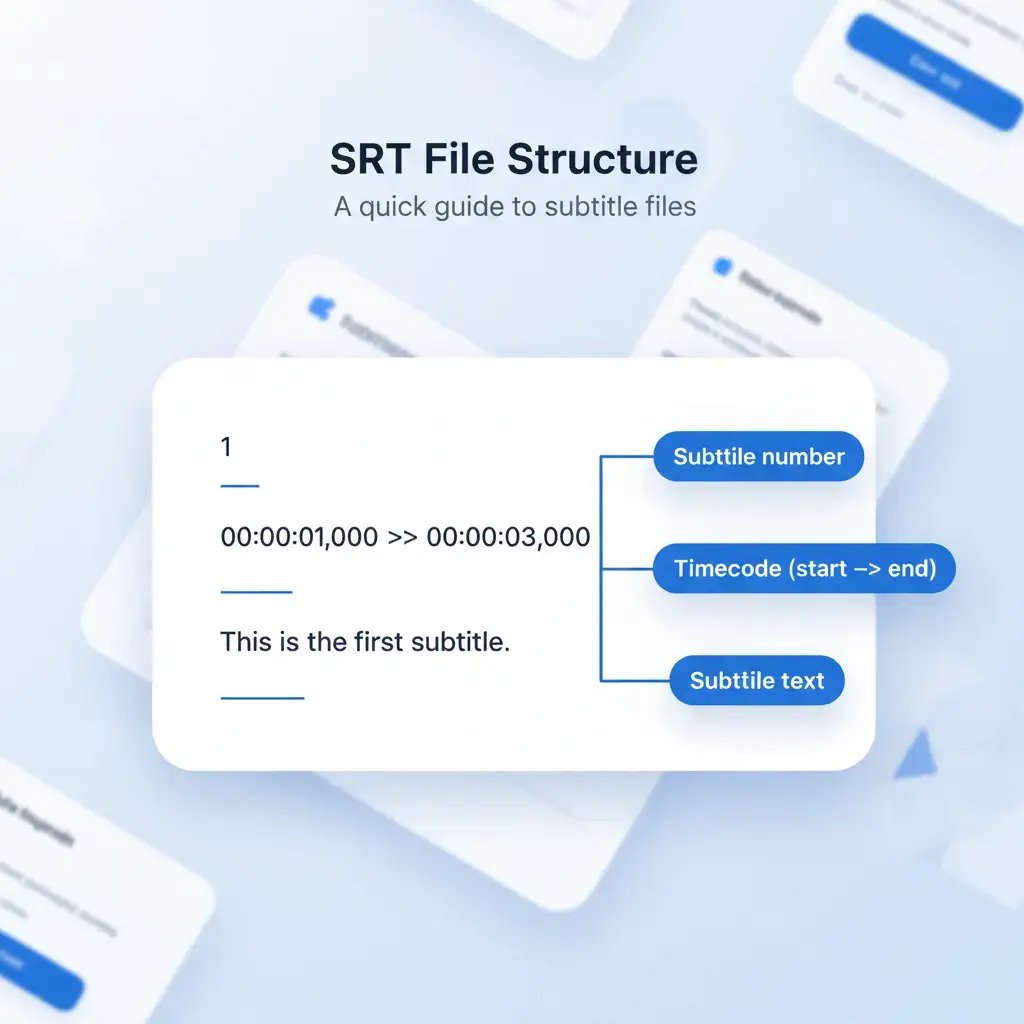
Figure 1: Complete SRT file structure breakdown with timestamp formatting rules
What is an SRT File?
An SRT file (.srt extension) is a plain-text subtitle format that stores synchronized caption data with precise timing information. It's the universal standard for video subtitles, supported by every major video player from VLC to YouTube. You candownload YouTube subtitlesas SRT files instantly with no software required.
- Human-readable: Can be edited with any text editor
- Time-synchronized:Millisecond-accurate caption display
Common Use Cases
- · Video localization & translation
- · AI training data for speech recognition
- · Accessibility compliance (ADA, WCAG)
- · Content repurposing for social media
SRT File Format Rules: Sequence Number, Timestamp, Text
Search engines often surface SRT pages for exact syntax questions. Use these rules to validate a subtitle file before uploading it to YouTube, VLC, Premiere Pro, or a translation workflow.
| Line | Required value | Example |
|---|---|---|
| 1 | Sequential subtitle number | 1 |
| 2 | Start and end timestamp with comma milliseconds | 00:00:01,000 --> 00:00:04,000 |
| 3+ | One or two readable subtitle lines | Welcome to the tutorial. |
| Blank | Empty line before the next subtitle block | Required |
How to Open an SRT File (Windows, macOS, Web)
You can open .srt in any text editor for manual edits, or load it directly in video platforms and players for subtitle playback.
Windows / macOS
- Open with Notepad / TextEdit / VS Code
- Check timestamp format stays unchanged
- Save as UTF-8 after edits
Video Players
- VLC: Subtitle → Add Subtitle File
- Match file name with video when possible
- Use SRT for maximum compatibility
Social / Web Upload
- Upload SRT in platform subtitle settings
- Use language-coded filenames if required
- Preview timing before publishing
How to Create an SRT File (Manual + Tool Workflow)
If you need to create an SRT file from scratch, use this exact four-step structure. It matches the subtitle flow used by major editors, players, and upload platforms.
- Step 1: Add sequence number (
1,2,3...). - Step 2: Add timestamps in
HH:MM:SS,ms --> HH:MM:SS,msformat. - Step 3: Add subtitle text (usually 1-2 lines).
- Step 4: Leave one blank line, then repeat for the next subtitle block.
Minimal valid example
1
00:00:01,000 --> 00:00:03,000
Welcome to the subtitle tutorial.

2
00:00:03,200 --> 00:00:05,200
This is a valid SRT block.
SRT vs VTT vs ASS: Format Comparison
| Feature | SRT | VTT | ASS |
|---|---|---|---|
| Compatibility | ✓ Universal (99.9%) | ✓ Web browsers | Limited |
| Millisecond Separator | Comma (,) | Dot (.) | Dot (.) |
| Styling Support | Basic HTML | CSS styling | Advanced |
| File Size | Smallest | Small | Larger |
| Best For | Video players, AI training | Web videos, HTML5 | Anime, karaoke |
1. Complete SRT File Anatomy
Understanding thefour essential components of every SRT file is crucial for creating valid subtitle files that work across all video platforms and players.
Component 01 · Required
Sequence Number
A sequential numeric identifier starting at 1. Must increment by 1 for each subtitle block.
Our bulk extractor auto-generates perfect sequence numbering
Component 02 · Required
Timestamp Format
Precise HH:MM:SS,ms format using comma as millisecond separator. The arrow (-->) separates start and end times.
SRT uses commas, VTT uses dots for milliseconds
Component 03 · Required
Subtitle Text Content
The actual caption text. Can span multiple lines (max 2 recommended). Supports basic HTML tags like <b>, <i>, <u>.
Keep lines under 42 characters for optimal readability
Component 04 · Required
Blank Line Separator
A mandatory empty line that signals the end of one subtitle block and the beginning of the next.
Required after every subtitle entry
2. SRT Syntax Deep Dive
Interactive analysis of a completeSRT file structure. Each element follows strict formatting rules.
00:00:01,000 --> 00:00:03,450
Welcome to our tutorial on SRT file formatting.
00:00:03,500 --> 00:00:06,800
Learn how to create perfect subtitle files
for video editing and AI training.
Encoding: Always save as UTF-8 to support special characters
Line Endings: Use CRLF (Windows) or LF (Unix) consistently
Validation: Our bulk downloader checks all formatting rules
3. Advanced SRT Formatting Rules
Professional techniques for complex subtitle scenarios.
Styling with HTML Tags
SRT files support limited HTML for text formatting. Use <b>, <i>, <u> tags for emphasis, but avoid complex CSS.
Not all players support HTML tags
Positioning & Alignment
While basic SRT doesn't support positioning, some players accept positional hints in the timestamp line.
Non-standard extension
Multilingual Support
UTF-8 encoding supports all languages. Always include language metadata in filename or header comments.
Essential for localization
Line Breaking Strategy
Optimal readability: max 42 characters per line, 2 lines max. Break at natural phrase boundaries.
Improves viewer comprehension
4. Format Comparison: SRT vs. VTT vs. TXT
| Feature | SRT (.srt) | VTT (.vtt) | Clean TXT |
|---|---|---|---|
| Primary Use Case | Universal video subtitles | Web video (HTML5) | AI training data |
| Timestamp Format | 00:01:23,456 (comma) | 00:01:23.456 (dot) | No timestamps |
| Styling Support | Basic HTML tags | Full CSS classes | Plain text only |
| AI Training Suitability | Excellent (clean structure) | Good (requires cleaning) | Perfect (pure text) |
| Browser Native Support | Requires conversion | Direct support | Not applicable |
| Metadata Support | Minimal | Extensive headers | None |
| Learning Curve | Very low | Moderate | None |
Choose SRT When...
- · Working with traditional video editing software
- · Need maximum compatibility across devices
- · Preparing data for speech recognition AI
Choose VTT When...
- · Building modern web video experiences
- · Need advanced styling and positioning
- · Working with HTML5 video players
Choose TXT When...
- · Training language models (LLMs)
- · Need pure text without timing data
- · Creating searchable transcripts
Want a deeper dive into VTT format?
Full WebVTT syntax guide, use cases, and how to download YouTube subtitles as VTT free.
5. SRT Format Conversion Guide
Converting SRT to Other Formats
SRT → VTT
Change commas to dots in timestamps, add WEBVTT header
Our bulk converter automates this
SRT → TXT
Remove timestamps and sequence numbers, keep only text
Perfect for AI training datasets
SRT → ASS/SSA
Convert to Advanced SubStation Alpha with styling
For advanced karaoke and animation
Bulk Conversion Workflow
- 1Upload multiple SRT files or paste YouTube URLs
- 2Select target format (VTT, TXT, JSON, etc.)
- 3Apply formatting rules and validation
- 4Download converted files or integrate via API
6. Professional SRT Editing Tools
Text Editors
Notepad++, Sublime Text, VS Code
Manual correction of SRT files
Always save as UTF-8 encoding
Dedicated Software
Subtitle Edit, Aegisub, Jubler
Advanced timing and synchronization
Visual timeline editing interface
Online Converters
Our bulk YouTube subtitle downloader
Mass SRT extraction and conversion
Process 1000+ videos simultaneously
Need Bulk SRT Files for AI Research?
Ourfree YouTube subtitle downloaderprovides perfectly formattedSRT files from any YouTube playlist or channel.
7. SRT Files for AI & Machine Learning
Why SRT is the preferred format for AI training data.
SRT File Format Benefits for AI Applications
The .srt subtitle format provides clean, structured text data that is ideal for machine learning models. Its simple structure makes it easy to parse and convert to training datasets for natural language processing and speech recognition systems.
- · Easy parsing for AI training
- · Consistent timestamp format
- · Universal compatibility
- · Clean text extraction
Clean Data for LLM Training
SRT's simple structure makes it ideal for creating clean dialogue datasets. The timestamp-text pairing provides perfect alignment for speech recognition models.
- · Automatic noise filtering (timestamps removed)
- · Perfect for fine-tuning GPT, Whisper, BERT
- · Direct conversion to JSONL format
Bulk Processing Pipelines
Our infrastructure processes millions of SRT files monthly for AI research teams. Automated validation ensures data quality at scale.
8. Editorial References & Verification
This guide is periodically benchmarked against major industry explainers to keep terminology, workflow guidance, and practical subtitle operations accurate.
9. SRT File Expert FAQ
What is the standard SRT file format structure?
How do I create an SRT file from scratch?
What's the difference between SRT and VTT files?
Can I download YouTube subtitles as SRT files in bulk?
How do I convert SRT to TXT for AI training?
What encoding should I use for SRT files?
Try it now — free
Download a YouTube SRT file in 10 seconds
Paste any YouTube URL and get a properly formatted SRT file instantly. Works with single videos, playlists, and channels. No software needed.
- ✓ SRT, VTT, TXT formats
- ✓ 100+ languages
- ✓ Bulk playlist download
- ✓ 5 free downloads on signup
Ready to Master SRT Files?
Start extracting perfectly formatted SRT files today with our professional bulk downloader. Process unlimited videos, convert between formats, and prepare clean datasets for AI research.
Start Bulk Extraction NowNo credit card required · 5 free SRT extractions · Enterprise API available