 YTVidHub
Why
Transcript generation helps with note-taking, AI/LLM dataset preparation, and content analysis from long-form YouTube videos.
Generate AI-powered transcripts in one click, support multilingual output, and export as text or Markdown directly from YouTube pages.

Transcript generation helps with note-taking, AI/LLM dataset preparation, and content analysis from long-form YouTube videos.
The extension generates AI-powered transcripts, supports multiple languages, and exports output as text or Markdown.
1) Install the extension. 2) Open a YouTube video and click Generate Transcript to create and export results.
Three practical steps from installation to transcript output inside YouTube.
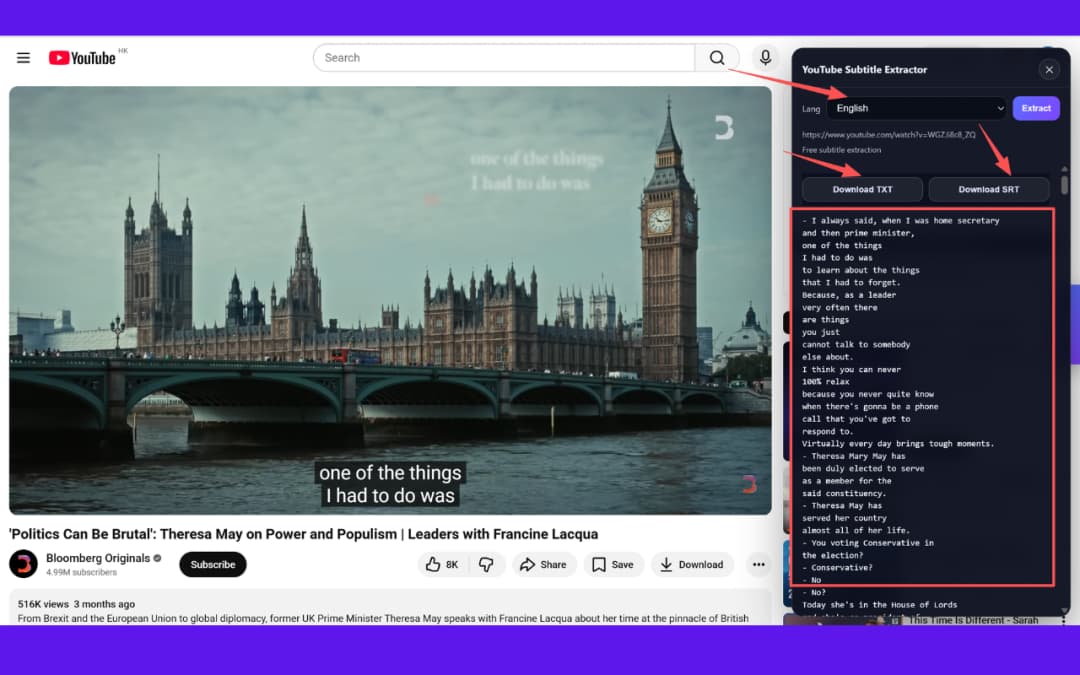
Open a YouTube video and launch the transcript panel from the extension area.

Select the transcript language you need for multilingual transcript generation.
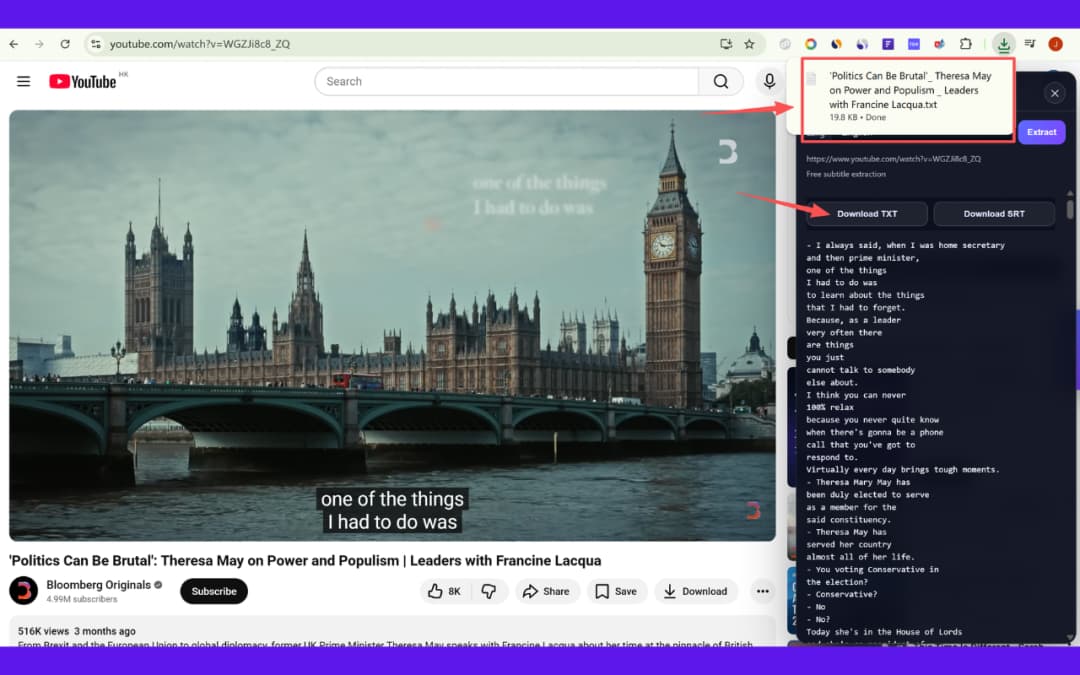
Generate transcript content and export to text or Markdown for your workflow.
Built for transcript quality, workflow speed, and easy export into your preferred documentation format.
Generate clean, readable transcripts quickly from YouTube videos with AI assistance.
Handle multilingual transcript workflows for international learning and research.
Save output in plain text or Markdown for notes, docs, and content systems.
Generate transcripts directly on YouTube pages without switching tools.
Useful for transcript-based analysis, insight extraction, and evidence review.
Works across Chrome, Edge, Brave, Arc, and other Chromium browsers.
Turn long lectures into readable transcript notes for fast review and revision.
Extract transcripts to analyze themes, arguments, and evidence across multiple YouTube sources.
Repurpose transcripts into scripts, outlines, newsletters, and social content drafts.
Use transcript output for LLM training data, retrieval indexing, and evaluation tasks.
Browse all extensions on /add-on/ and pair it with the YouTube Subtitle Downloader extension, or visit the YTVidHub homepage.
Install the extension and generate AI-powered transcripts inside YouTube in seconds.
Install Now