 YTVidHub
Data Science Guide
Download YouTube Transcript as Text Without Timestamps
If you need to download YouTube transcript as text, this guide shows how to remove timestamps and ASR noise to create clean, analysis-ready transcript files for LLM and research use.
The Pitfall of Raw SRT/VTT Files
Subtitle files are designed for video players, not data pipelines. Using them directly introduces noise that corrupts your analysis.
Timestamps & Tags
Timecodes like 00:01:23.456 and HTML-style tags (<i>, <b>) pollute your text corpus and skew token counts.
ASR Noise
Auto-generated captions inject artifacts like [Music], (Applause), and repeated filler words that degrade model performance.
Inconsistent Formatting
Line breaks mid-sentence, duplicate lines, and encoding issues create fragmented, unusable text blocks.
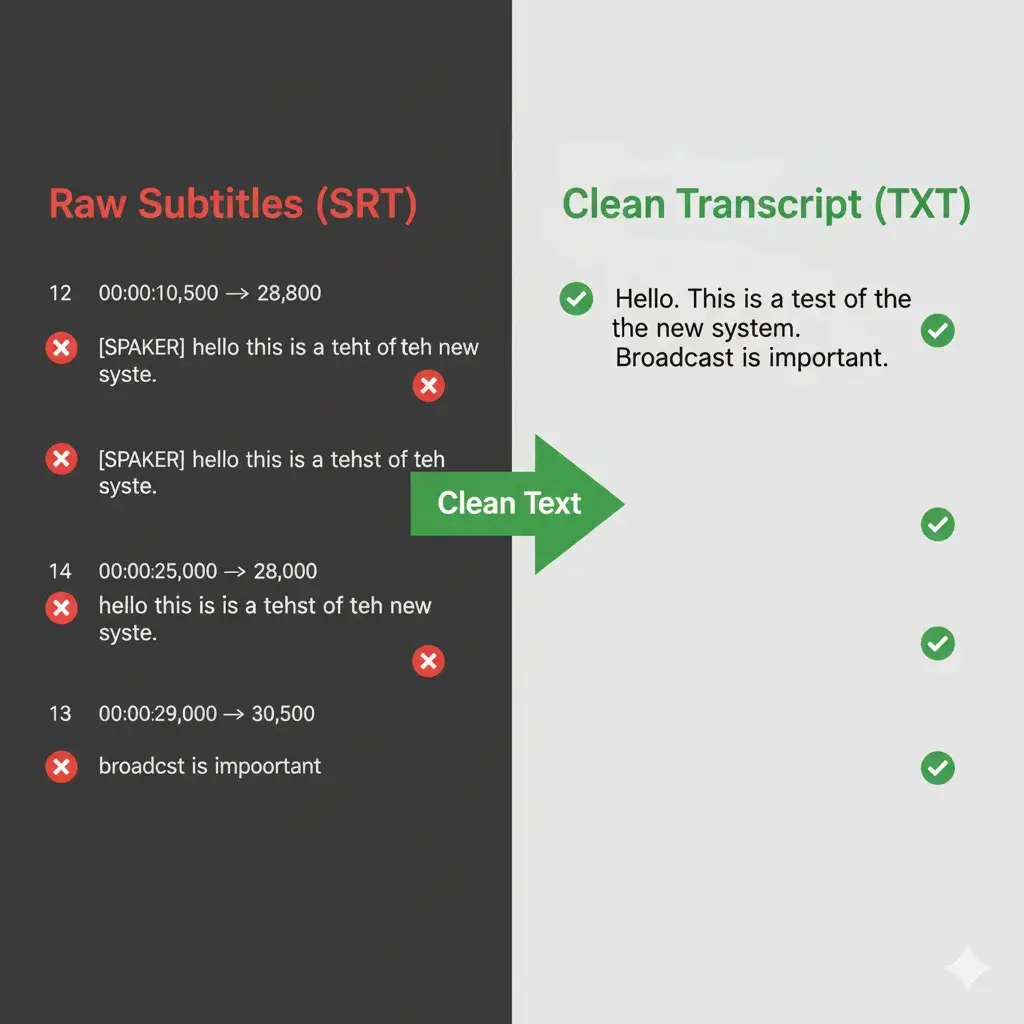
Our Three-Step Cleaning Pipeline
YTVidHub's "Clean TXT" export runs every file through a dedicated pipeline to deliver analysis-ready text.
- 1
Structural Tag Elimination
All SRT/VTT structural elements—sequence numbers, timecodes, position tags, and HTML formatting—are stripped completely.
- 2
ASR Noise Filtering
Non-speech markers like [Music], (Laughter), and ♪ symbols are identified and removed using pattern matching.
- 3
Format Unification
Fragmented lines are merged into coherent paragraphs. Duplicate lines and encoding artifacts are cleaned for a consistent output.
Frequently Asked Questions
How to download YouTube transcript as text?
How do I remove timestamps from a YouTube transcript?
Is no-timestamp transcript better for AI training?
Should I keep SRT or convert to TXT?
Ready for Analysis-Grade Text?
Skip the manual cleaning. Export pristine, timestamp-free transcripts directly from YTVidHub.
Explore the Full Data Prep Guide