 YTVidHub
Why
YouTube subtitle and transcript extraction improves note quality, saves manual time, and supports downstream AI/data workflows.
Free Download — SRT, VTT, TXT in One Click
Install the free YTVidHub Chrome extension to download YouTube subtitles and generate transcripts directly on any YouTube video page. No login required.
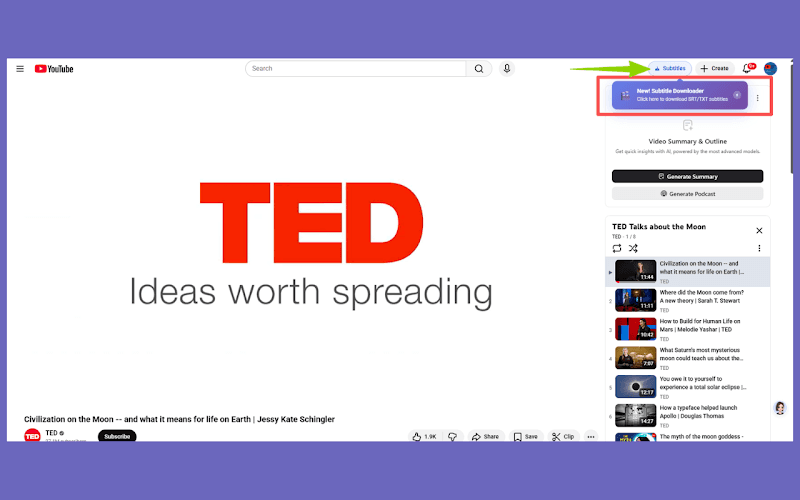
Choose the extension that matches your workflow and open its detail page.
Download YouTube subtitles in SRT, VTT, or clean TXT directly on the video page with one click.
Open Subtitle DownloaderGenerate readable YouTube transcripts quickly for notes, research, and content workflows.
Open Transcript GeneratorYouTube subtitle and transcript extraction improves note quality, saves manual time, and supports downstream AI/data workflows.
YTVidHub provides one extension for subtitle download and one for transcript generation, both focused on fast YouTube-native workflows.
1) Open the detail page and install from Chrome Web Store. 2) Open YouTube and run subtitle download or transcript generation in a few clicks.
Collect and normalize transcript text for prompt testing, corpora building, and model data pipelines.
Convert long videos into searchable text for revision notes and structured learning workflows.
Turn transcripts into outlines, drafts, and repurposed social or blog content with less manual work.
Extract multi-video subtitle text for topic analysis, trend mapping, and multilingual review.
Start from /add-on/ or go to the YTVidHub homepage.
Install the official YTVidHub extension and move from manual copy-paste to structured subtitle and transcript operations.
Install Now