 YTVidHub
Viewer Assistance Guide
The Ultimate Subtitle Settings Guide
Fix any CC problem fast. This definitive guide shows you exactly how to adjust, fix, and optimize your closed captions on any device.
1. Mastering Basic Subtitle Control
Before we fix broken captions, let's cover the essentials. These are the controls 90% of users miss.
Quick Fixes
Always check the CC icon first. If missing, the uploader hasn't provided captions. This is the #1 reasonwhy youtube subtitles are not working.
TV & Mobile
On TV, look for the CC button in playback settings. On mobile, tap the screen to reveal the "CC" toggle in the top-right corner.
Icon Greyed Out?
Ensure "Always show captions" is active inYouTube Settings > Playback and performanceto re-enable the icon globally.
2. Advanced Customization
Standard white text on a black background is often hard to read. You can optimize the size, color, and font of your subtitles for a better personal experience.
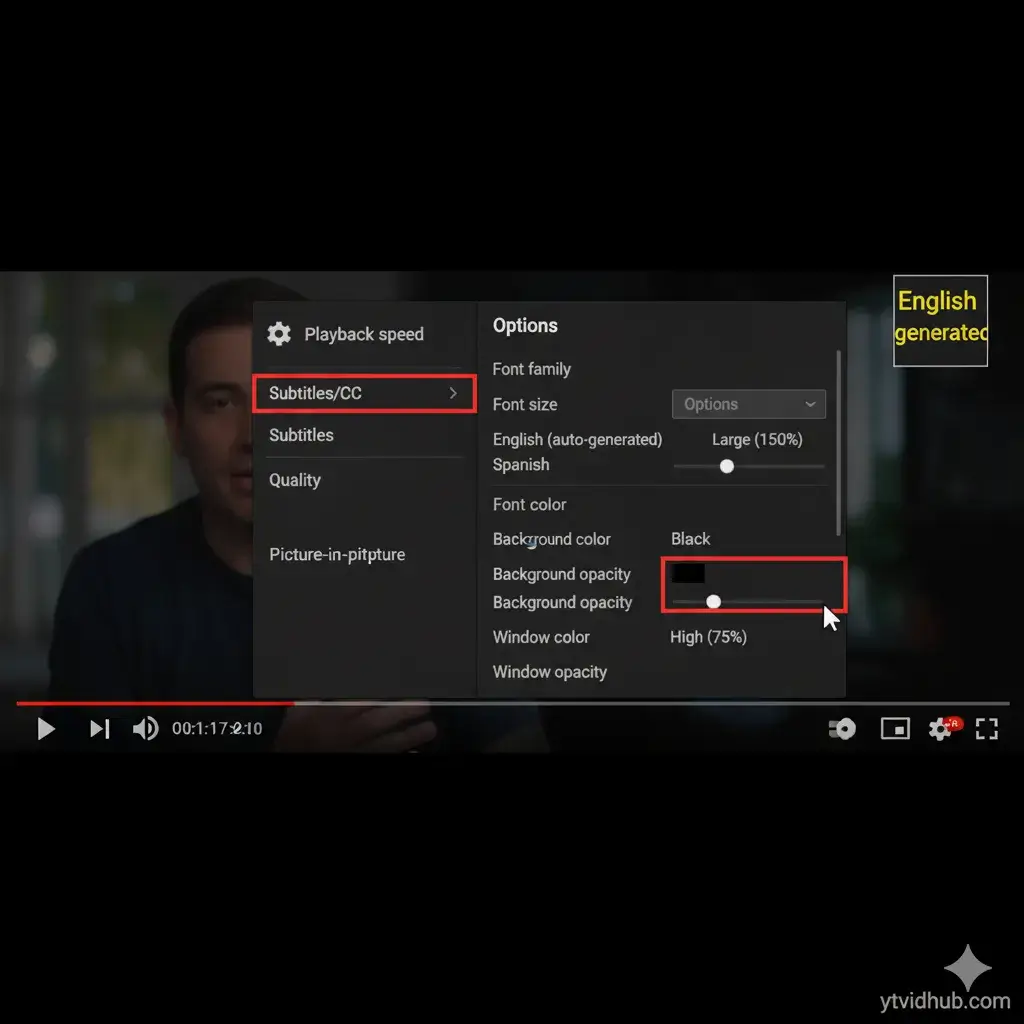
Pro Tip: Click Gear Icon > Subtitles/CC > Options
3. Changing Languages
The most common question is"how to change language of subtitles on youtube."While simple for official tracks, auto-translated tracks often fail with technical jargon or slang.
Common Auto-Translation Errors
Idiomatic Failures
Direct translations lose the true cultural meaning.
Technical Inaccuracy
"Strings" in code become "ropes" in translation.
Lack of Context
Sarcasm or positive slang reversed to negative.
4. Expert Insight
Critical View: Settings Fix the Display, Not the Data
"Changing font size won't correct a misspelled word. Making the background opaque won't fix awkward line breaks. Settings are a visual overlay. For accurate research, you must start with a clean source transcript."
5. Conclusion
You now have the power to fix any subtitle viewing issue. But if your goal is to use the text for study or data, your journey has just begun.
Need High-Quality Text?
Watching is good, analyzing is better. Extract clean, timestamp-free text for your next project.
Get Clean Text Now