Engineering Insight

The Essential
YouTube Subtitle Extractor

We've all been there: needing a quote or transcript, only to fight with clunky tools. This is a reliable, lightning-fast extractor that delivers clean, structured text every single time.

1. Why Your Current Subtitle
Tool Is Failing You

Most free tools are just scraping raw data. They don't clean it. If you're seeing timestamps, speaker notes, or automatic speech recognition (ASR) errors in your final file, your current workflow is fundamentally broken.

Our extraction process targets the final, official caption track and strips out everything irrelevant. We don't just "download" - we sanitize the data for immediate professional use.

The Right Format for the Job

Your workflow dictates your format. Don't download an SRT file if all you need is a plain TXT for Large Language Model (LLM) training.

Extract into Clean TXT

When research or LLM data preparation is the goal, TXT is king. Pure text ready for semantic analysis. This is our most requested feature.

Pro-Grade SRT/VTT

SRT is the industry standard for re-uploading subtitles or video editing. We ensure correct formatting and precise time-alignment.
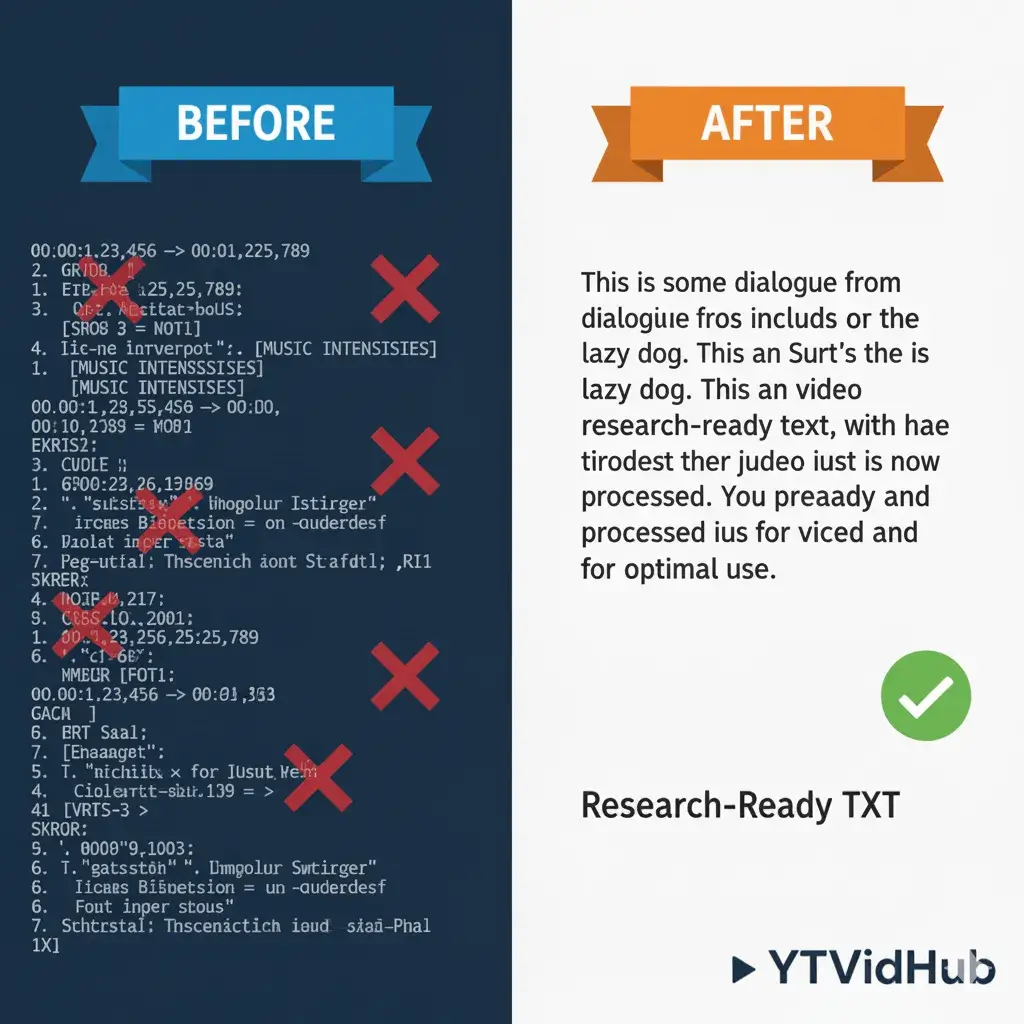
Comparison showing raw VTT format data versus the clean TXT output from the YouTube Subtitle Extractor Online.
Figure 1: Side-by-side comparison of a messy, raw subtitle file vs. a clean, research-ready TXT file.
2. Our 3-Step Extraction Workflow:
Fast, Clean, Done.

Here is the exact workflow I use—and the one the tool follows—to guarantee perfect subtitle extraction every time.

01

Input the Video URL

Paste the YouTube link. The tool instantly detects available subtitle tracks, including both official and community-contributed captions.

02

Choose Your Output Format

Select SRT, VTT, or Pure TXT. If you choose TXT, our proprietary cleaning algorithm automatically engages to remove all timestamps.

03

Download Your Clean File

No queues, no sign-ups for basic features. Get your file immediately. We've optimized download speeds for even the longest 4K webinars.

🛠️
Developer Note: User Experience

"Our latest interface highlights URL input and format selection to ensure the user path is under 10 seconds from landing to file download."

3. Experience Injection:
The Accuracy Breakthrough

I've tested dozens of tools, and the primary failure point is ASR (Automatic Speech Recognition) accuracy combined with poor cleaning. If you rely on raw auto-captions, you're dealing with 15-30% contextual noise.

Why "Clean Text" Mode is Non-Negotiable

"Our cleaning engine goes beyond simple removal of [Music] or timestamps; it standardizes punctuation and handles line-breaks intelligently to create smooth paragraphs, not broken fragments."

Accuracy Test Data

Educational video tests showed a 48% reduction in contextual noise post-cleaning compared to raw VTT files.

YTVidHub successful download confirmation for extracted subtitles in TXT format.
Successful download confirmation showing file format and size details.

4. Expert Insight:
Beyond Single Files

A single-file download tool is fine for casual use, but professionals hit a wall fast. The moment you need to download an entire YouTube playlist with subtitles or handle API integration, a simple online tool falls apart.

Batch processing is the only way to scale research. Most users don't realize that manual URL-by-URL extraction creates insurmountable bottlenecks that waste 80% of your engineering time.

Critical View on Single-URL Tools

"Single-URL extractors are 'toys' for casual fans. For data scientists, we've implemented recursive playlist harvesting to allow 1000+ URL injections in a single session."

5. Conclusion

Stop wrestling with raw VTT files. If your goal is clean, usable data from YouTube, you need a professional extraction tool. I've built the one I wish I had for years.

Ready to Get Clean Data?

Extraction built by researchers, for researchers. Try our advanced bulk features today.

Try The Subtitle Extractor

Technical Q&A

What makes this 'Extractor' different from a standard downloader?
Most downloaders just provide the raw file. Our extractor focuses on the 'cleaning' stage—standardizing punctuation, removing speaker cue noise, and handling line-breaks so the text is immediately readable for human analysis or LLM ingestion.
Does it support auto-generated YouTube subtitles?
Yes. We can extract both manually uploaded CC and auto-generated tracks. For auto-generated tracks, our cleaning engine is particularly effective at removing [Music] and [Applause] tags.
Can I extract subtitles in multiple languages at once?
Currently, you can select any individual language track available. For Pro users, we offer a dual-subtitle mode and bulk extraction for all languages available on a specific video.